ACNH Island Designer: Online Map Planner Guide
Plan your Animal Crossing: New Horizons island before terraforming. Use this guide to choose the right planning scenario, sketch cliffs, rivers, bridges, inclines, paths, buildings, neighborhoods, and Slumber Island layouts before you commit to changes in-game.
What Is an ACNH Island Designer?
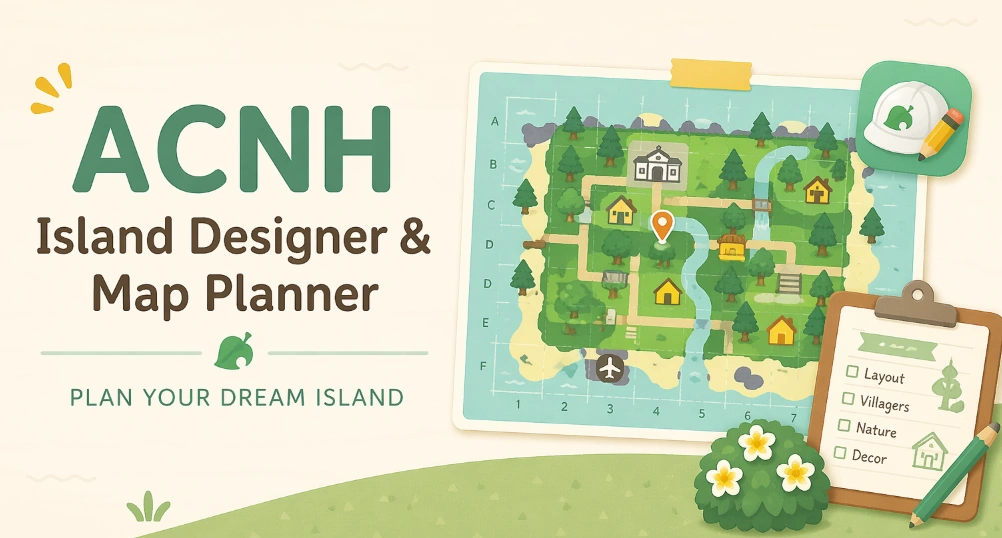
Players use the phrase ACNH island designer in two different ways. In the game, the Island Designer App is the NookPhone app used for paths and terraforming after you unlock it. Online, an island designer or map planner is a planning tool that helps you test ideas before changing your real island.
The safest workflow is to plan first, then build. Use an online map planner to block out the big decisions, then use the in-game Island Designer App to create the final version in Animal Crossing: New Horizons.
If you found this page while searching for an Animal Crossing map designer, start with the planner on the homepage, then use this guide to check unlocks, limits, bridge placement, incline placement, and realistic build order.
| Feature | In-game Island Designer App | Online ACNH Map Planner |
|---|---|---|
| Main use | Build paths, cliffs, rivers, and final terrain changes. | Sketch and compare island layouts before building. |
| Unlock needed | Yes, after reaching 3 stars and hosting K.K. Slider. | No in-game unlock required. |
| Best for | Final terraforming and decoration work. | Testing building placement, bridges, inclines, and flow. |
| Risk level | Changes affect your island and may take time to undo. | Low-risk planning space for trying multiple layouts. |
Plan Before Terraforming
Terraforming is powerful, but the best island designs usually start with structure. Before you move details around, plan the features that shape the whole map: fixed landmarks, major zones, bridges, inclines, and the paths that connect everything.
- Mark fixed areas first.
Start with Resident Services, the airport, river mouths, pier, secret beach, and rocks. - Choose the island concept.
Pick a broad theme such as natural forest, town core, resort, Japanese garden, or seasonal island. - Block out major zones.
Plan neighborhoods, shops, museum entrance, campsite, farms, beaches, and scenic viewpoints. - Place buildings early.
Homes, shops, and services determine how much room your paths and terraforming need. - Draw rivers and cliffs.
Use water and elevation to guide movement, not just to decorate empty space. - Count bridges and inclines.
Make sure your idea works within the bridge and incline limits before building. - Create path loops.
Avoid dead ends unless they are intentional scenic areas or hidden details. - Check player view.
A layout that looks good from the map should still feel readable while walking around. - Save a reference.
Export or screenshot your planner layout before you start terraforming in-game.
ACNH Map Designer Checklist
Use this checklist before you start flattening, river editing, or large-scale redesign work. It helps catch layout problems early, while they are still easy to change in the planner.
Core Map Layout
- Airport to Resident Services route is clear.
- Resident Services plaza has enough open space around it.
- River mouths and beach exits are not blocked by cliffs.
- Secret beach has a planned access path.
- Each main zone has a visible entrance and exit.
Buildings and Movement
- Villager homes are grouped or intentionally spread out.
- Nook's Cranny and Able Sisters are easy to reach.
- Museum entrance has room for decoration and pathing.
- Bridge and incline count fits the final design.
- Paths connect without forcing constant backtracking.
Rivers
Plan river curves around neighborhoods, scenic overlooks, and bridge locations. Wide river systems look dramatic, but they can quickly consume bridge slots.
Cliffs
Use cliffs to frame views and create depth. Before building a tall area, decide where the incline goes and whether the path still feels natural.
Paths
Draw the main path network before adding decorative items. Good paths make shops, homes, beaches, and viewpoints easy to understand at a glance.
Which ACNH map planning scenario fits your island?
Use this matrix when you are not sure whether to open the planner for a full redesign, a small terraforming pass, or a layout check before moving buildings.
Full island rebuild
Best when you are replacing the map structure, not just decorating a corner.
- Use it for
- Zones, rivers, cliffs, bridges, inclines, homes, shops, museum, and main routes.
- Avoid using it for
- Starting with item clutter or custom path details before the route works.
- Planner tip
- Save one conservative version before drawing the ambitious terrain version.
Building move plan
Best when the island mostly works but services, shops, or the neighborhood feel awkward.
- Use it for
- House rows, shop distance, museum approach, campsite access, and daily errand loops.
- Avoid using it for
- Moving every building at once without a temporary holding area.
- Planner tip
- Mark current building footprints first, then compare only the moves that solve a route problem.
Terraforming pass
Best when cliffs or rivers need to support a layout you already understand.
- Use it for
- Waterscaping, cliff height, bridge count, incline placement, waterfalls, and beach access.
- Avoid using it for
- Drawing dramatic terrain that consumes crossings without improving movement.
- Planner tip
- Count bridges and inclines before adding decorative canals or mountain paths.
Theme and photo spots
Best after the movement map is stable and you need scene-by-scene polish.
- Use it for
- Entrance view, garden pockets, market stalls, overlooks, farm rows, and seasonal areas.
- Avoid using it for
- Letting one photo spot block the main airport-to-plaza route.
- Planner tip
- Keep one flexible area open so events and future redesigns do not require flattening again.
Bridge and Incline Limits to Plan Around
Bridge and incline limits matter because they decide whether a cliff-heavy or river-heavy design is practical. New Horizons originally allowed up to 8 bridges and 8 inclines. Version 2.0 added the Pro Construction License, which can increase those limits to 10 bridges and 10 inclines.
That still gives you a finite number of crossings. If your island concept uses many rivers, cliffs, canals, or mountain districts, count the bridge and incline locations before you start terraforming.
Slumber Island Planning Tips for ACNH 3.0
The 3.0 update adds a new reason to use a map planner. Nintendo describes Slumber Islands as separate islands where Nintendo Switch Online members can experiment with ideas, terraform, build, decorate, and invite friends online. You can create up to three Slumber Islands, separate from your main island.
Use Slumber Islands for bold themes
Try an island concept you would hesitate to build on your main island, such as a full resort, city grid, fantasy forest, or seasonal event map.
Compare three concepts
Because Slumber Islands are separate, a planner can help you decide which concept deserves each available island slot.
Plan for co-op decorating
If friends help decorate online, prepare zones first so everyone understands the paths, entrances, and build areas.
Common Island Design Mistakes
Most redesign problems come from starting too small. Plan the structure first, then add decoration. These are the issues a map planner can help you catch early.
- Flattening without a replacement plan.
Clearing everything can feel productive, but it creates a blank map with no direction. - Forgetting fixed features.
Resident Services, the airport, river mouths, pier, and secret beach shape the whole design. - Using too many dead-end paths.
Dead ends work for viewpoints, but repeated dead ends make the island feel awkward to explore. - Overbuilding cliffs before placing inclines.
A mountain area needs practical access, not just a good silhouette. - Decorating before zoning.
Small items are easier to place once neighborhoods, shops, rivers, and path loops are settled. - Designing only from the map view.
Check whether the island still reads well from the player's walking perspective.
ACNH Island Designer FAQ
What is the difference between an ACNH island designer and an ACNH island planner?
The in-game Island Designer App is used to build the final terrain changes after you unlock terraforming. An online ACNH island planner is used first, so you can compare map ideas before moving buildings, cutting rivers, or building cliffs.
How do you unlock the Island Designer App in Animal Crossing: New Horizons?
You need to improve your island until it reaches a 3-star rating, then host the first K.K. Slider concert. After that milestone, Tom Nook gives you the Island Designer App.
Can I plan my island before unlocking terraforming?
Yes. In fact, planning before unlocking terraforming is useful because you can decide where buildings, rivers, cliffs, paths, and bridges should go before you spend time changing the real island.
Can I use a map planner for Slumber Islands?
Yes. Slumber Islands are separate spaces introduced with the 3.0 update. A planner helps you compare concepts before choosing which Slumber Island layout to build.
What should I plan first: buildings, rivers, cliffs, or paths?
Start with fixed map features and major zones. Then place important buildings, sketch rivers and cliffs, count bridges and inclines, and finish with path loops and decoration.
Should I flatten my island before redesigning it?
Only flatten if you already have a replacement plan. Many players lose momentum after flattening because the island becomes a blank canvas with too many open decisions.
Can I use this page as an Animal Crossing map designer guide?
Yes. The page explains how to use an online map planner before the in-game Island Designer app, so you can test buildings, paths, rivers, cliffs, bridges, inclines, and daily routes before building.
How do I plan an island map in ACNH before committing in-game?
Start with fixed landmarks, then sketch zones, building footprints, routes, bridges, inclines, rivers, and cliffs in the planner. Only move into the game after the main route and crossing count make sense.
Should I use an ACNH grid guide or a free map planner?
Use a grid guide when you need exact building footprints and spacing. Use a visual map planner when you need to compare routes, terraforming shapes, neighborhoods, and the overall island flow.
Is an online ACNH Island Designer the same as Happy Island Designer?
No. An online ACNH island designer is a general planning layer for zones, routes, buildings, rivers, and cliffs. Happy Island Designer is one community map-planning tool, while the in-game Island Designer App performs the final terraforming after your plan is stable.
Ready to Design Your Island Map?
Start with the planner, test your layout, save a reference, and then bring the design into Animal Crossing: New Horizons with fewer surprises.
ACNH Island Planner is an unofficial fan-made planning resource and is not affiliated with Nintendo. Animal Crossing is a trademark of Nintendo.